Looking for a feedback forms sample you can copy right now? This page has 17 ready-to-use feedback form examples for customers, employees, events, training and clients. Each one comes with real sample questions, the best time to send it, and a free template you can copy in one click.
Every sample feedback form below is short on purpose. The best feedback forms take under two minutes, ask about one experience, and end with a single open question. Copy the questions, or start from the matching ready-made template when you build it in Tapzy.
What a good feedback form includes
Before the examples, here's the structure almost every effective feedback form follows:
- One headline rating (CSAT, NPS or CES) you can track over time.
- Two or three specific questions, usually multiple choice, rating or matrix.
- One open question (“What's the main reason for your score?”).
- Optional contact details, so you can follow up and close the loop.
- A thank-you screen that says what happens next.
17 feedback form examples with sample questions
Jump straight to the feedback form template you need:
Customer feedback forms
1. Customer satisfaction (CSAT) feedback form
Best for: Measuring how happy customers are after a purchase or delivery. When to send: Within 24 hours of delivery or a completed service.
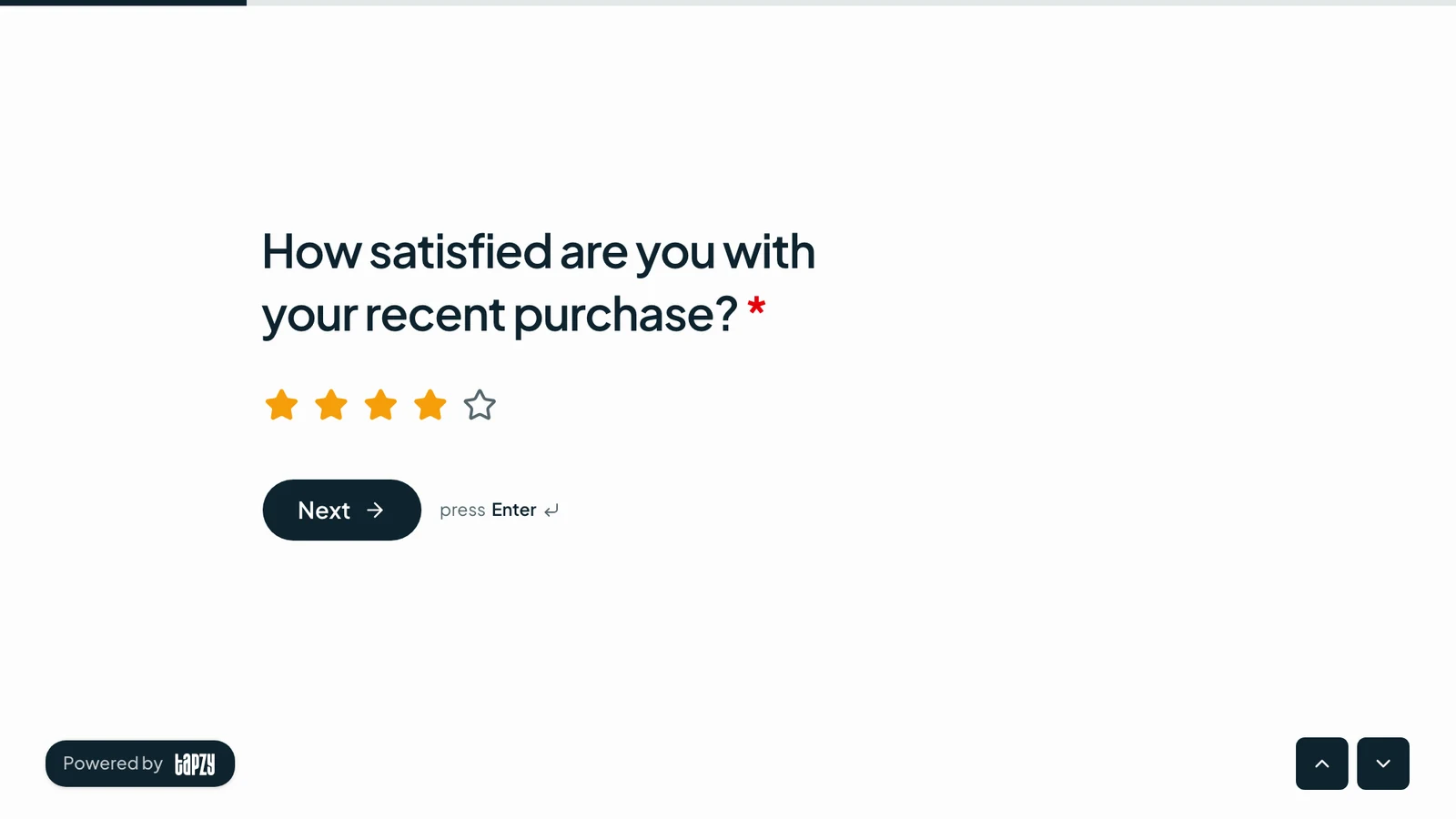
- 1.How satisfied are you with your recent purchase?Rating (1–5 stars)
- 2.What did you buy?Dropdown
- 3.How would you rate the value for money?Rating (1–5 stars)
- 4.Did the product match its description?Yes / No
- 5.What is the main reason for your score?Long text
- 6.Can we contact you about your answers?Email (optional)
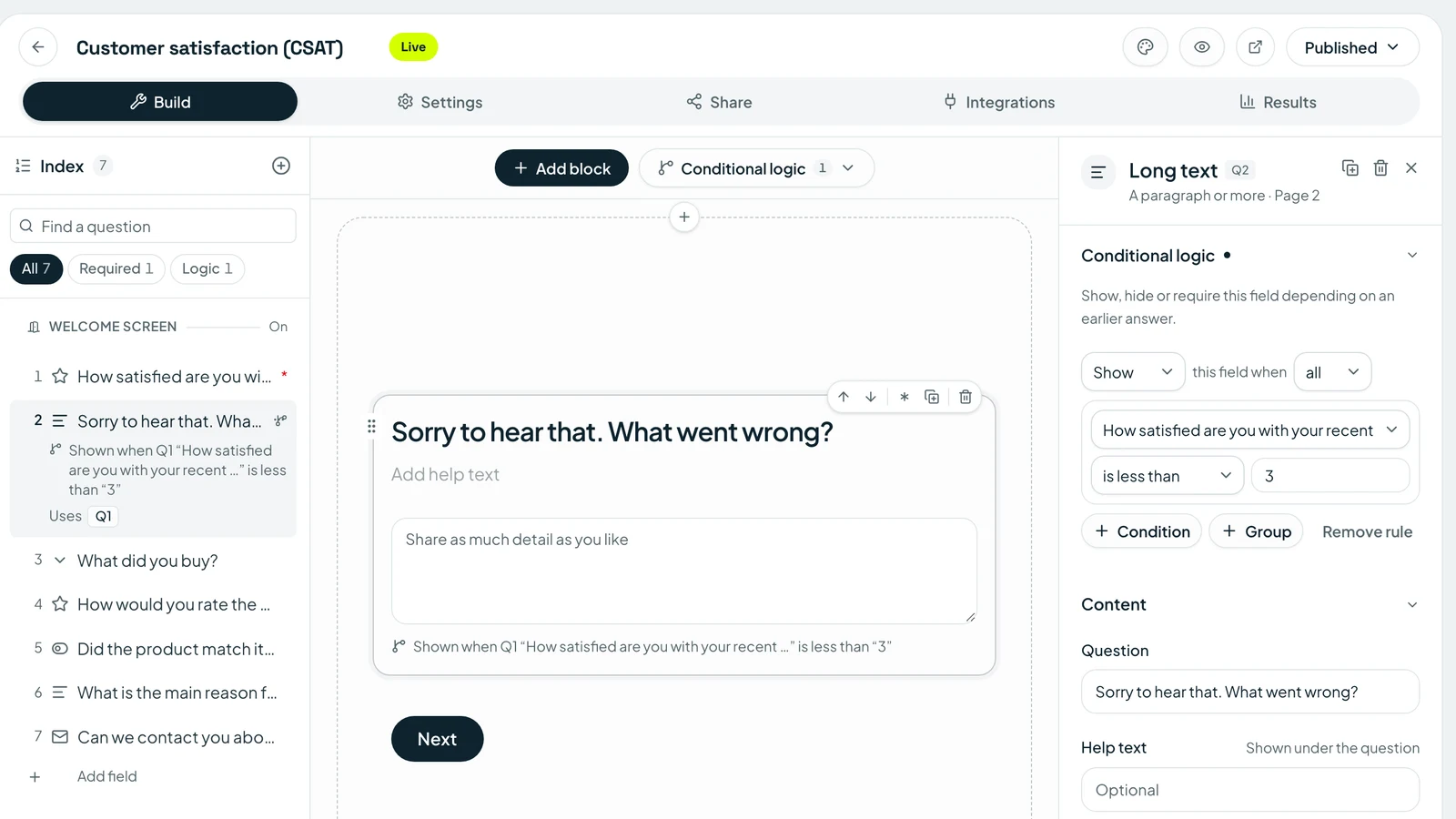
Tip: Use logic to ask “What went wrong?” only when the rating is 1 or 2. Happy customers finish faster, unhappy ones get room to explain.
2. Net Promoter Score (NPS) survey
Best for: Tracking loyalty over time with one benchmarkable number. When to send: Every quarter, or 30–60 days after someone becomes a customer.
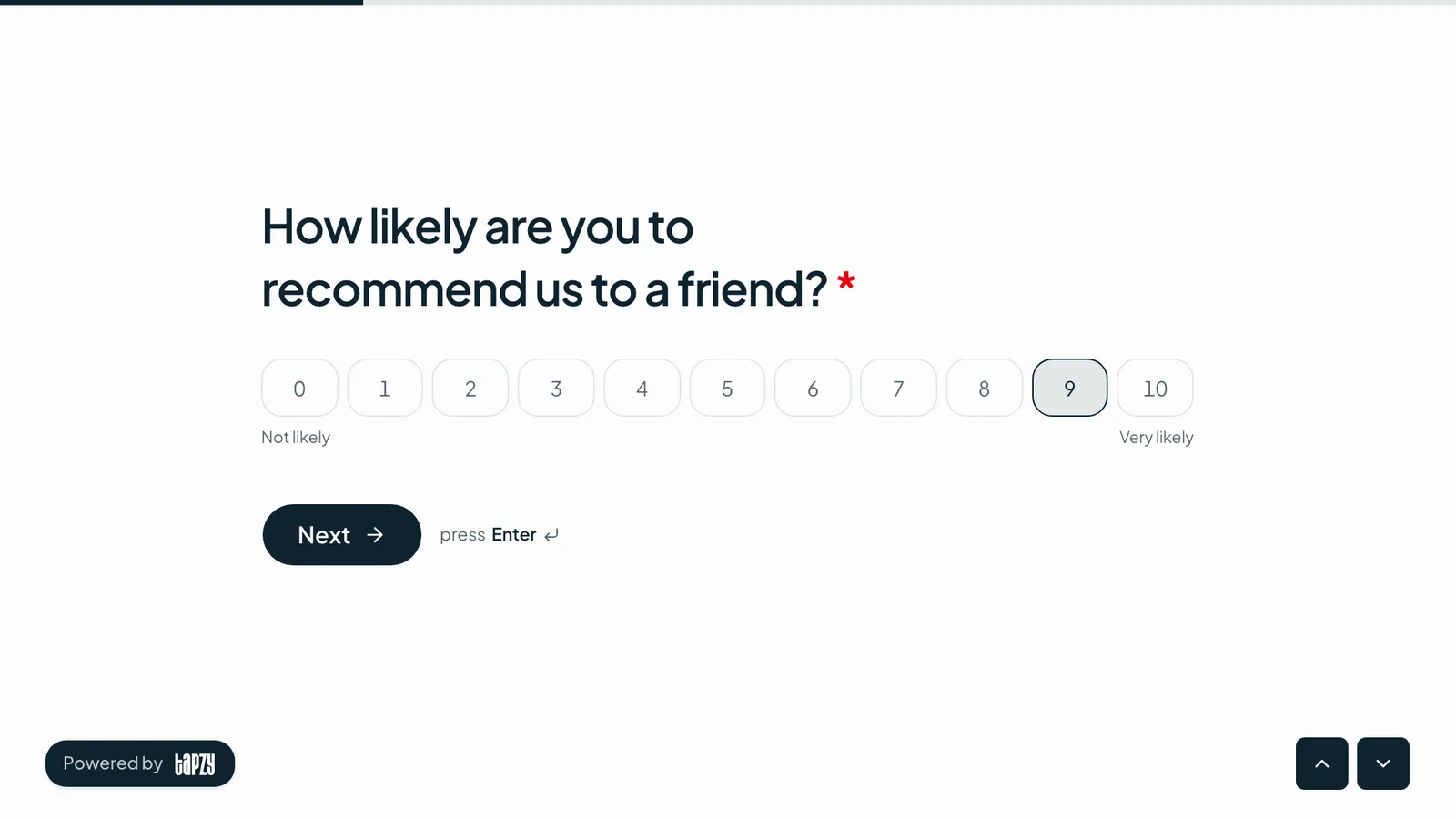
- 1.How likely are you to recommend us to a friend or colleague?NPS (0–10)
- 2.What could we have done better? (shown for scores 0–6)Long text
- 3.What did you love most? (shown for scores 7–10)Long text
- 4.How would you rate the quality?Rating (1–5 stars)
- 5.Can we follow up with you?Email (optional)
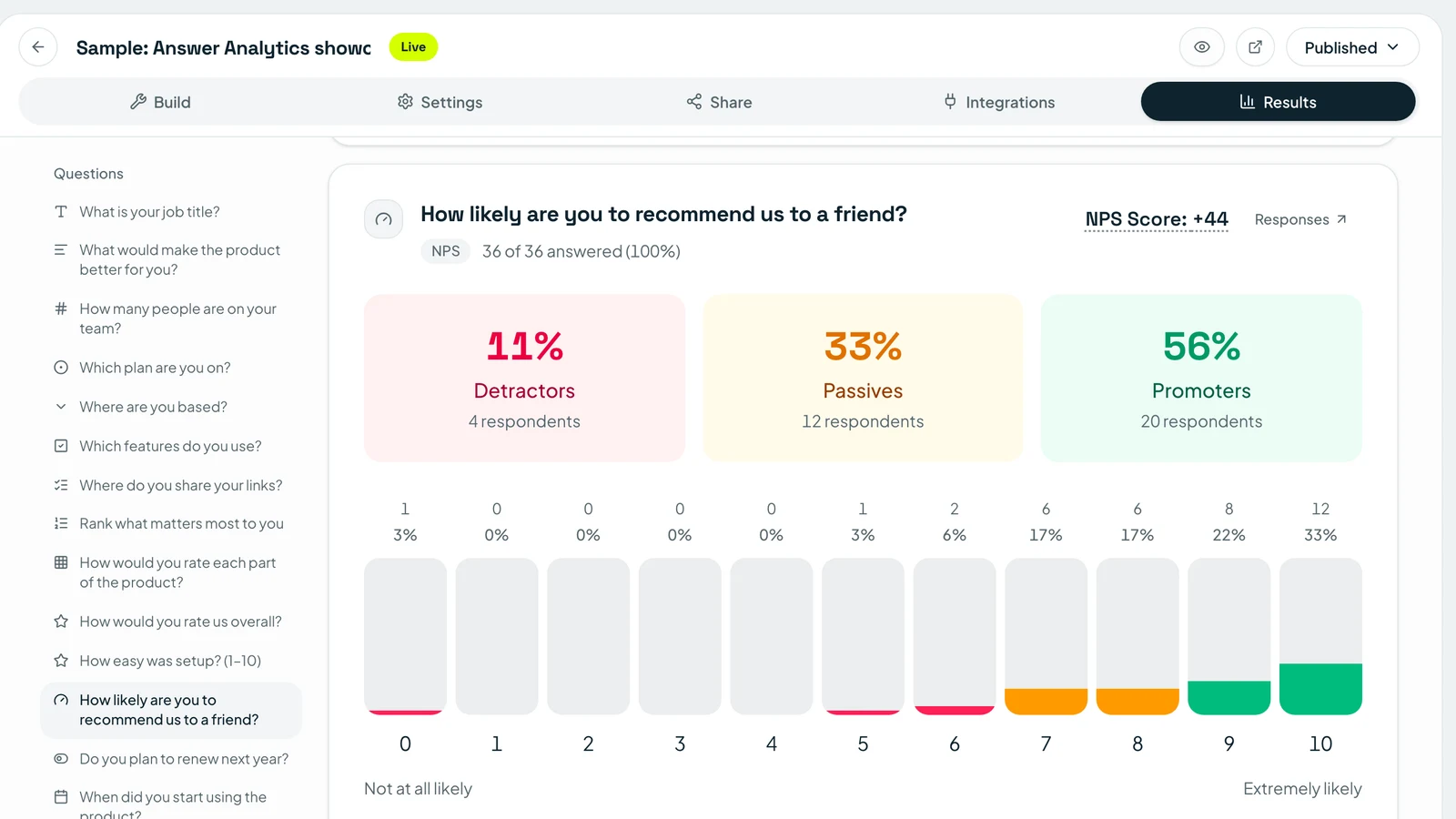
Tip: Tapzy calculates your NPS automatically in the Answers report and splits responses into promoters, passives and detractors.
3. Customer support feedback form (CES)
Best for: Finding friction in your help desk, chat or phone support. When to send: Right after a ticket is closed.
- 1.How easy was it to get your issue resolved?Rating (1–7, number)
- 2.Was your issue fully resolved?Yes / No
- 3.How many times did you contact us about this issue?Multiple choice
- 4.How would you rate the agent who helped you?Rating (1–5 stars)
- 5.What would have made this easier?Long text
Tip: Pass the ticket ID and agent name as hidden fields in the link, so every answer is tied to the right conversation without asking.
4. Product feedback form
Best for: Deciding what to build next and spotting churn risks early. When to send: After a user has used the product for 2–4 weeks.
- 1.How often do you use the product?Multiple choice
- 2.Which features do you use most?Checkboxes
- 3.Rank these upcoming features by how useful they would be to you.Ranking
- 4.How would you feel if you could no longer use the product?Multiple choice
- 5.What is the one thing we should improve?Long text
- 6.Would you join a 20-minute call to share more?Yes / No
Tip: The “how would you feel if you could no longer use it” question (very / somewhat / not disappointed) is a quick product-market-fit check.
5. Website feedback form
Best for: Improving navigation, content and conversion on your site. When to send: As an embedded form on key pages, or after a visitor completes a task.
- 1.What did you come to our website to do today?Multiple choice
- 2.Were you able to do it?Yes / No
- 3.How easy was the site to use?Rating (1–5 stars)
- 4.What, if anything, was confusing or missing?Long text
- 5.How did you find us?Dropdown
Tip: Embed the form on the page itself rather than sending people elsewhere. Feedback given in context is far more specific.
6. Restaurant and hospitality feedback form
Best for: Cafés, restaurants, hotels and salons collecting reviews on-site. When to send: At the table or checkout, via a QR code.
- 1.How was your overall experience today?Rating (emoji)
- 2.Rate the following: food, service, cleanliness, ambience.Matrix
- 3.Who served you today?Dropdown
- 4.Would you visit us again?Yes / No
- 5.Anything we could do better?Long text
- 6.Leave your email to receive a thank-you offer.Email (optional)
Tip: Print the form’s QR code on receipts and table tents. Our free review standee generator makes a ready-to-print stand.
Employee and team feedback forms
7. Employee feedback form (engagement survey)
Best for: Understanding morale, workload and retention risks. When to send: Quarterly pulse surveys, or twice a year for a full survey.
- 1.How happy are you at work right now?Rating (emoji)
- 2.Rate: workload, recognition, growth, team support, tools.Matrix
- 3.How likely are you to recommend this company as a place to work?NPS (0–10)
- 4.Do you see yourself working here in a year?Multiple choice
- 5.What is one thing we should start, stop or continue?Long text
- 6.Which department are you in?Dropdown
Tip: Leave out name and email fields and say so at the top. People are much more honest when the form clearly can’t identify them.
8. Manager and 360° feedback form
Best for: Giving managers structured upward or peer feedback. When to send: Before performance reviews or twice a year.
- 1.Who are you giving feedback on?Dropdown
- 2.What is your working relationship?Multiple choice
- 3.Rate: communication, clear goals, support, fairness, decision-making.Matrix
- 4.What should this person keep doing?Long text
- 5.What could this person do differently?Long text
Tip: Ask for one strength and one improvement. Two focused open questions beat ten generic ones.
9. Meeting feedback form
Best for: Making recurring meetings shorter and more useful. When to send: Right after a recurring meeting, once a month.
- 1.Was this meeting a good use of your time?Rating (1–5 stars)
- 2.Did the meeting have a clear goal?Yes / No
- 3.Should this meeting be…Multiple choice
- 4.What would make it more useful?Long text
Tip: Options like “shorter / same / longer / an email instead” give a clear answer in a single tap.
10. Anonymous suggestion box
Best for: Collecting ideas and concerns at any time, without pressure. When to send: Always on: pin the link in Slack, your intranet or an office QR code.
- 1.What is your suggestion about?Multiple choice
- 2.Describe your idea or concern.Long text
- 3.How important is this to you?Rating (1–5 stars)
- 4.Attach a photo or file (optional).File upload
Tip: Turn on email notifications so someone actually sees each suggestion, then share what changed because of them.
Event, training and education feedback forms
11. Event feedback form
Best for: Conferences, meetups, webinars and launches. When to send: Same day, or within 24 hours while the event is fresh.
- 1.How would you rate the event overall?Rating (1–5 stars)
- 2.Which sessions did you attend?Checkboxes
- 3.Rate: venue, content, speakers, networking, organisation.Matrix
- 4.How likely are you to attend our next event?NPS (0–10)
- 5.What was the highlight for you?Long text
- 6.What should we change next time?Long text
Tip: Show the QR code on the final slide. You’ll get several times more responses in the room than from a follow-up email a week later.
12. Training feedback form
Best for: Corporate training, onboarding and compliance sessions. When to send: At the end of the session, plus a short check 30 days later.
- 1.How would you rate the training overall?Rating (1–5 stars)
- 2.The content was relevant to my role.Rating (1–5, number)
- 3.The trainer explained things clearly.Rating (1–5, number)
- 4.How confident are you applying what you learned?Rating (1–5 stars)
- 5.Was the length of the training…Multiple choice
- 6.What topic should we cover next?Short text
Tip: Add a two-question follow-up a month later (“Have you used what you learned?”) to measure real impact, not just enjoyment.
13. Workshop feedback form
Best for: Hands-on workshops, bootcamps and masterclasses. When to send: In the last five minutes of the workshop.
- 1.How useful was this workshop?Rating (1–5 stars)
- 2.Which part was most valuable?Multiple choice
- 3.Was the pace right for you?Multiple choice
- 4.Would you recommend this workshop to a colleague?Yes / No
- 5.Any other comments for the facilitator?Long text
Tip: Use the one-question-at-a-time layout on phones. It feels like a quick chat rather than a form.
14. Course and student feedback form
Best for: Teachers, tutors and online course creators. When to send: Mid-course (to adjust) and at the end (to improve the next run).
- 1.How would you rate this course overall?Rating (1–5 stars)
- 2.Rate: content, teaching, materials, assignments, pace.Matrix
- 3.Which module was most helpful?Dropdown
- 4.How many hours a week did you spend on the course?Multiple choice
- 5.What one change would improve this course?Long text
Tip: A mid-course check lets you fix problems for the current class instead of only the next one.
Client and business feedback forms
15. Client project feedback form
Best for: Agencies, freelancers and consultants. When to send: At project hand-off, and at milestones on longer projects.
- 1.How satisfied are you with the final result?Rating (1–5 stars)
- 2.Rate: communication, quality, timeliness, value.Matrix
- 3.Did we meet the goals we agreed on?Multiple choice
- 4.How likely are you to work with us again?NPS (0–10)
- 5.What could we improve for next time?Long text
- 6.May we quote your feedback on our website?Yes / No
Tip: The last question turns happy clients into testimonials without a separate request.
16. Cancellation and exit survey
Best for: Understanding why customers leave, and winning some back. When to send: In the cancellation flow or immediately after.
- 1.What is the main reason you’re cancelling?Multiple choice + Other
- 2.What would have made you stay?Long text
- 3.Which tool are you switching to?Short text
- 4.How likely are you to come back in the future?Rating (1–5 stars)
Tip: Use per-answer endings: if someone picks “Too expensive,” end on a screen with a discount or a cheaper plan.
17. Testimonial request form
Best for: Collecting reviews and quotes for your website and ads. When to send: Right after a customer gives you a high NPS or CSAT score.
- 1.Your name and job titleName + Short text
- 2.What problem were you trying to solve before us?Long text
- 3.What result have you seen since?Long text
- 4.How would you rate us overall?Rating (1–5 stars)
- 5.Upload a photo or logo (optional).File upload
- 6.Can we use your testimonial publicly?Yes / No
Tip: Add a per-answer ending to your NPS survey that shows people who scored 9 or 10 a link to this form.
Running a restaurant or shop? The free review standee generator and QR code generator help you get your feedback form in front of customers.
Feedback form questions: which type to use
Good feedback form questions match the answer you need. Here's when to use each question type in the templates above:
| Question type | Use it for | Example |
|---|---|---|
| Rating (stars, emoji, number) | Satisfaction with one thing | “How was your stay?” |
| NPS (0–10) | Loyalty you can benchmark | “How likely are you to recommend us?” |
| Multiple choice | One clear reason or category | “What’s the main reason you’re cancelling?” |
| Checkboxes | Everything that applies | “Which sessions did you attend?” |
| Matrix | Rating several things at once | “Rate food, service and ambience.” |
| Ranking | Priorities | “Rank these features by usefulness.” |
| Long text | The “why” behind a score | “What could we do better?” |
New to choice questions? Our guide on how to make multiple choice questions online covers writing clear options and avoiding bias.
NPS vs CSAT vs CES: how to calculate each
Most feedback form examples above use one of these three scores. Here's how they work:
| Metric | Question | Formula |
|---|---|---|
| NPS | “How likely are you to recommend us?” (0–10) | % promoters (9–10) minus % detractors (0–6) |
| CSAT | “How satisfied were you?” (1–5) | Responses of 4 or 5 ÷ total responses × 100 |
| CES | “How easy was it?” (1–7) | Average of all scores (higher is easier) |
Worked example: 200 people answer your NPS survey. 110 score 9–10 (55% promoters), 50 score 7–8 (passives), and 40 score 0–6 (20% detractors). Your NPS is 55 − 20 = +35.
How to build a feedback form in Tapzy (5 steps)
Step 1: Create a form
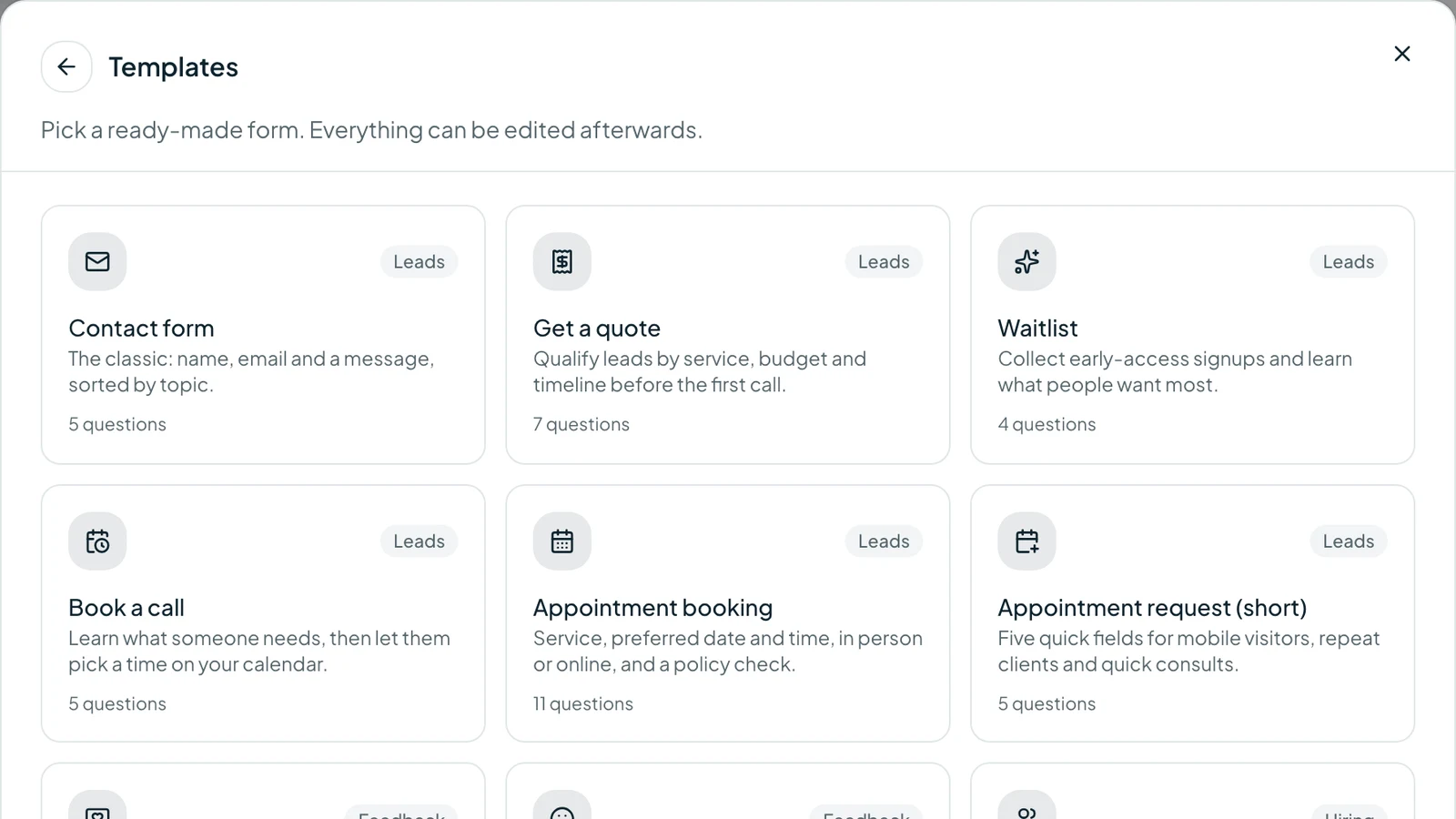
Sign up, go to Forms and click Create form. Every example on this page is in the template gallery (the template name is shown under each sample), so pick one, start blank, or import an existing form from Google Forms, Typeform, Tally or CSV.
Step 2: Add your questions
A template arrives with its questions already in place. Replace the stand-in answer options (such as “Product A,” “Staff member 1” or “Module 1”) with your own, and reword anything that doesn't fit. Starting blank? Add each question using the field type shown next to it in the samples above: Rating, NPS, Multiple choice, Matrix, Long text and so on.
Step 3: Add logic
Show follow-up questions based on earlier answers, for example ask “What went wrong?” only for low ratings. The NPS, CSAT, product feedback and cancellation templates already include this; add your own rules or send people to different ending screens.
Step 4: Brand it and choose a layout
Add your logo and colors in the Design panel. Each template starts with a suitable layout, but you can switch between one question at a time for a conversational feel and a single page for very short forms.
Step 5: Share and track
Publish and share by link, website embed, QR code or your link-in-bio page. Get an email for each response, sync answers to Google Sheets, HubSpot or Notion, and watch the charts update in real time.
Tips to get more feedback form responses
- Keep it under two minutes. Say how long it takes in the description.
- Ask at the right moment. Feedback drops sharply a day or two after the experience.
- Put the rating first. An easy first question gets people started.
- Design for phones. Most people will open your feedback form on mobile.
- Meet people where they are. Use QR codes on-site and links in emails and chats.
- Track your channels. Tag each link with the free UTM builder to see which one brings the most responses.
- Close the loop. Tell people what you changed. They'll answer again next time.
A good feedback forms sample saves you an hour of guessing what to ask. Pick the template that matches your situation, start from it in the gallery, and launch your feedback form in Tapzy today.